
Split it any way
Equally, by exact amounts, percentages, shares or adjustments, down to the paisa. More than one person can pay.
Free forever · No limits · Android, iPhone and web
SplitPe keeps the money side of living with other people simple. Add what you spent and who it was for; SplitPe keeps the running balance, works out the fewest payments that settle everyone, and opens your UPI app to pay. Free forever, with no limits.
No sign-up needed to look around. Sign in with Google when you're ready.
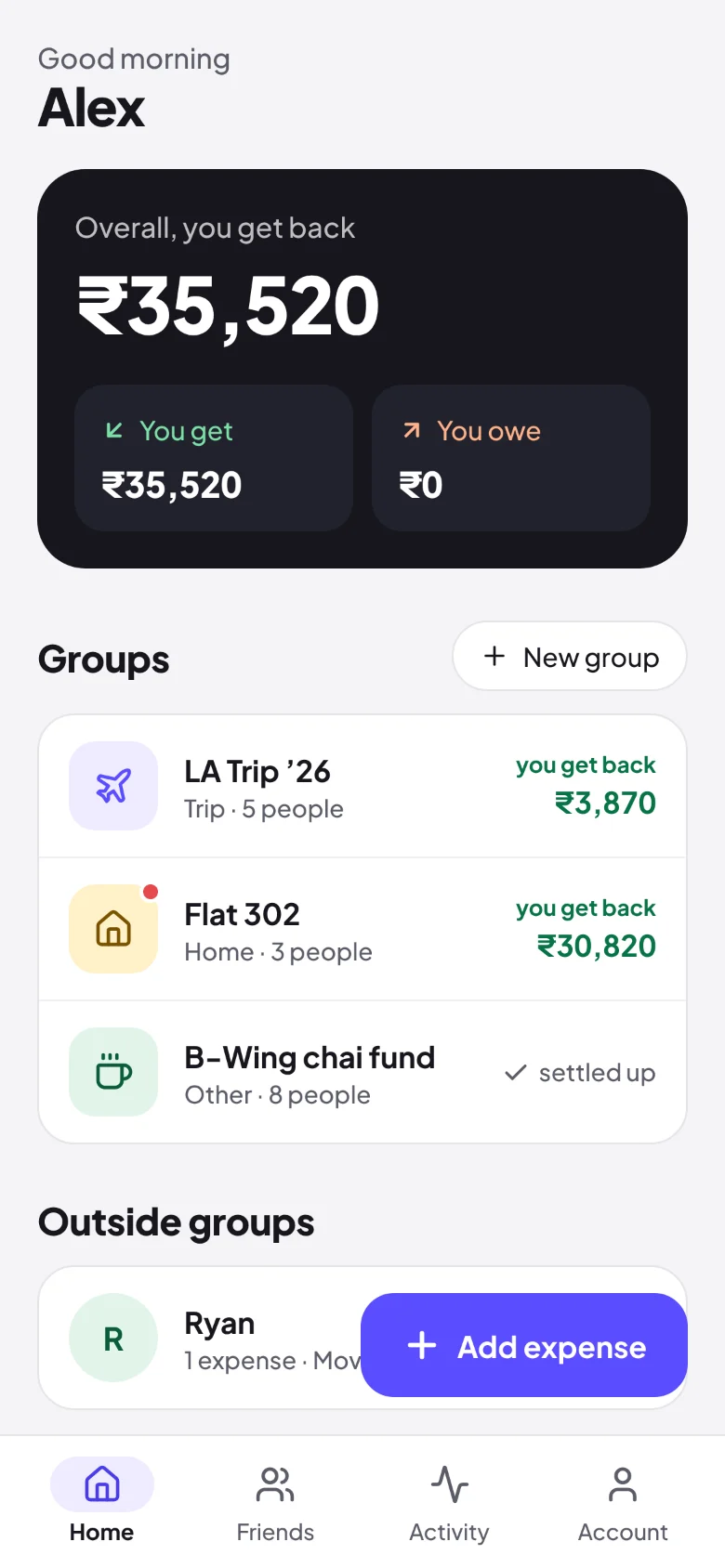
SplitPe is the free-forever app for splitting shared expenses in India: flat rent and bills, trips at home or abroad, dinners, or a single expense with one friend. Everyone in a group sees the same balances, every balance shows the maths behind it, and settling up takes the fewest payments possible. It also tracks daily services that flatmates share, like the maid, cook, milk and newspaper, and works out their bill at the end of the month. SplitPe works on every platform: Android, iPhone and the web. On iPhone and computers it installs from the browser and opens like an app.
Equally, by exact amounts, percentages, shares or adjustments, down to the paisa. More than one person can pay.
Add people by name, or with a mobile number from any country, and start. Share the invite link or QR code; when they join, they claim their name and their balance follows.
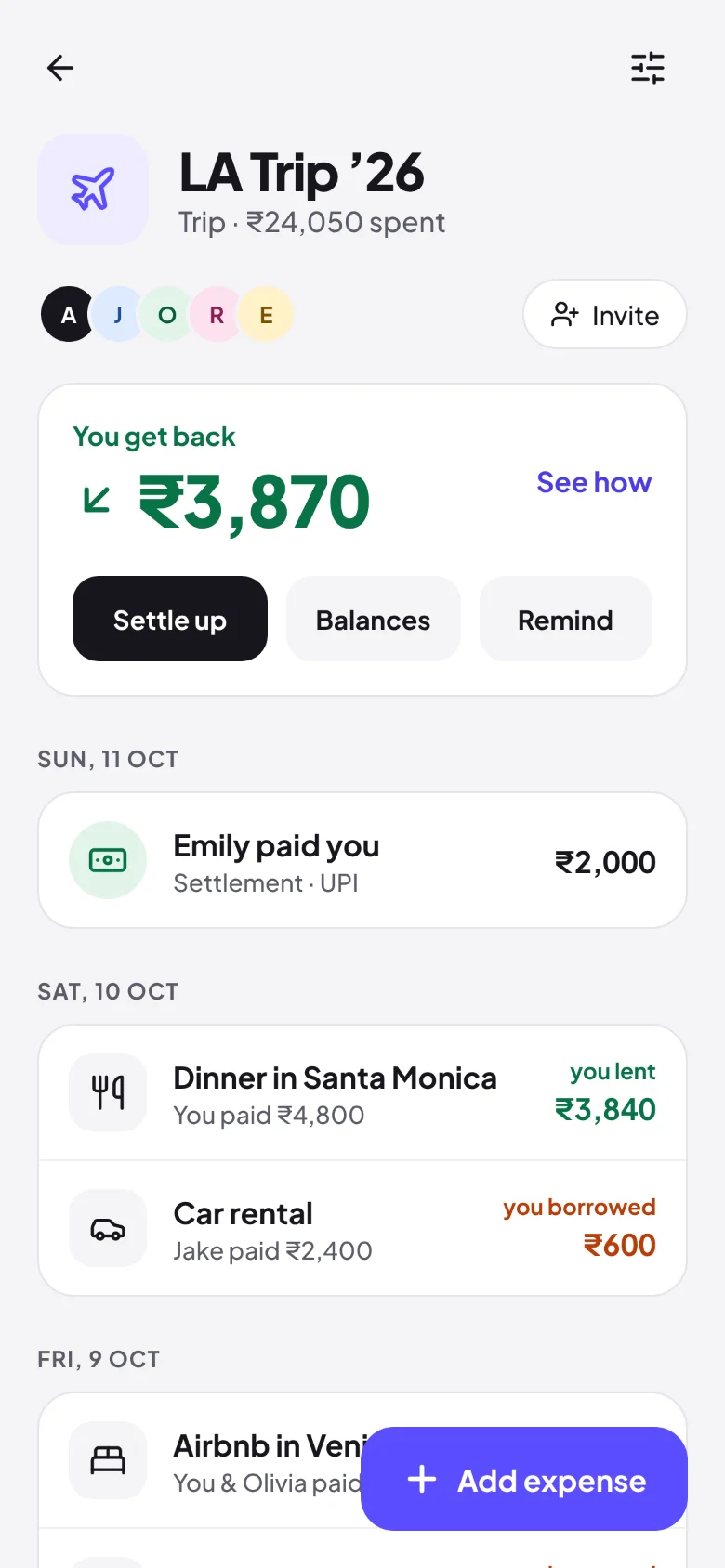
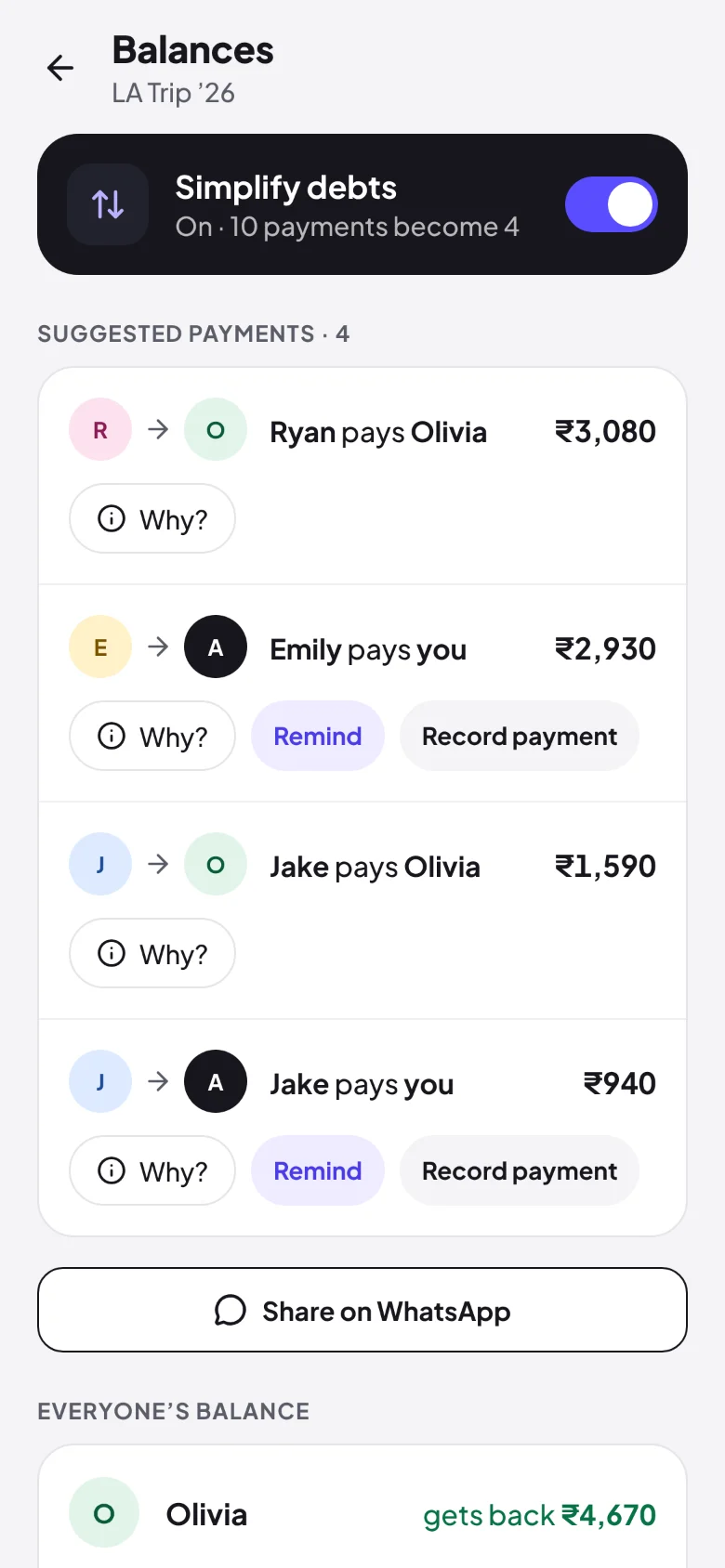
Simplify debts turns a tangle of who-owes-whom into the shortest list of payments. Record UPI, cash or a part payment.
Every balance opens up to show which expenses made it, so nobody has to take a number on trust.
Attach a photo of the bill, add a note, and add up a shopping list right in the amount field.
Owe a flatmate? Settle up opens GPay, PhonePe, Paytm or BHIM with the amount filled in, then records it when it goes through. On the web, scan a QR code.
Set rent, Wi-Fi or a subscription to repeat monthly, and SplitPe adds it on the day, split the usual way.
Every group has its own currency, 38 in all. Make the US trip a group in dollars or the Dubai one in dirhams: every expense, balance and settle-up stays in it, start to finish.
“Why is the gas ₹1,100?” gets asked and answered on the expense itself, not lost in WhatsApp.
Bring a Splitwise group across from its spreadsheet export, with every expense, payment and balance.
This month, last month or the last 3 months as a CSV for Excel or Google Sheets, with a column per person.
Only in SplitPe
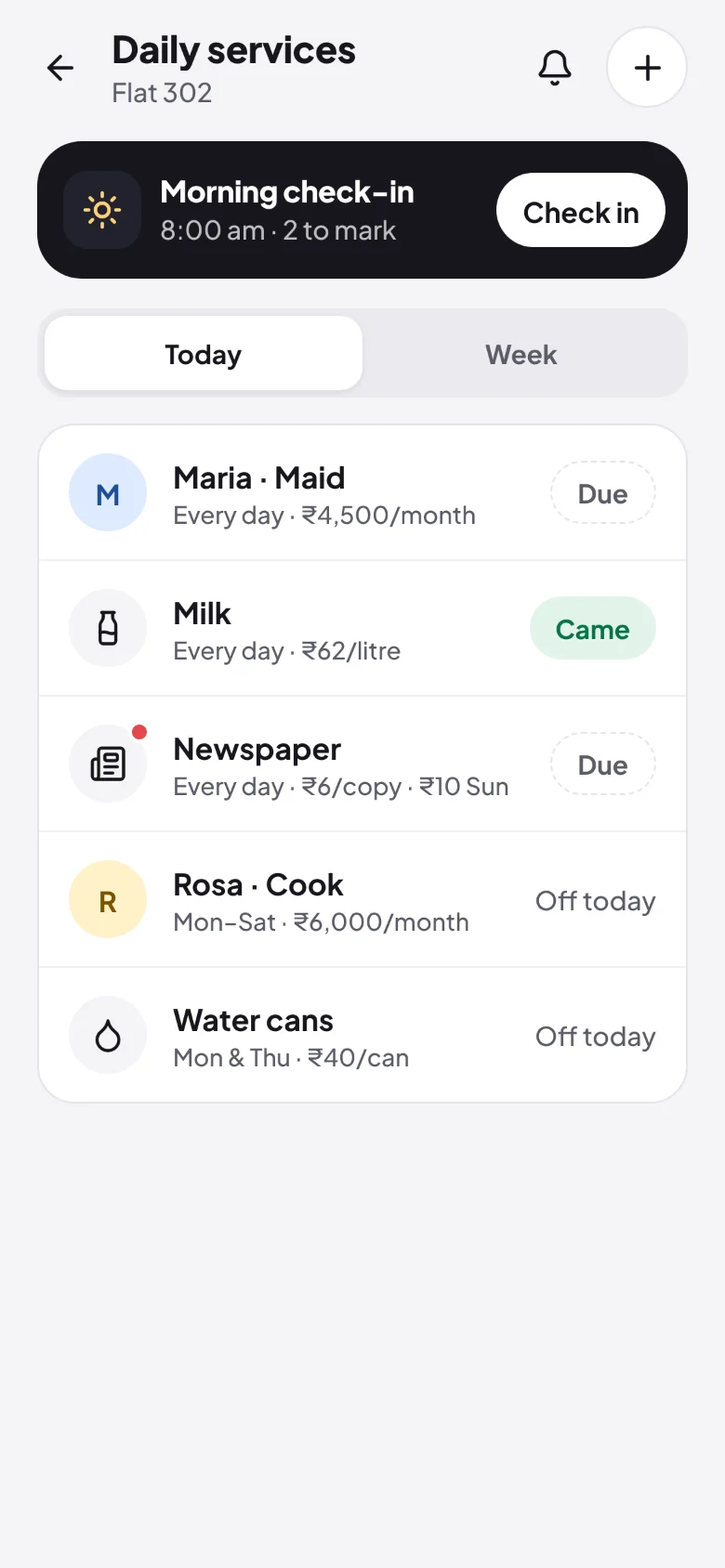
If you share a flat in India, the people who come to the door every day are real money, and nobody remembers who came on the 14th.
Yes, free forever. There is no limit on expenses, groups or people, and no paid plan, no premium tier and no trial. Every feature, including daily services and Pay with UPI, is free for everyone.
No. Add people by name, or by name and mobile number from any country, and start splitting straight away. When they open the group's invite link or QR code, on any phone or computer, they tap "That's me" and their balance follows them.
Yes. SplitPe is on every platform: Android, iPhone and the web. On iPhone it installs from Safari or Chrome to the home screen: open getsplitpe.web.app, then Share and Add to Home Screen, and it opens like an app, with notifications. It is not an App Store download.
Add each service with the days it comes and what it costs. Every evening SplitPe asks whether they came, and you can answer from the notification. At month end it works out the bill, minus unpaid days and advances, and splits it between the flatmates who share it.
Yes. Export the group from Splitwise as a spreadsheet, then in SplitPe choose New group → Import from Splitwise. Every expense, payment and balance comes across.
Yes. In a group's settings, Export to a spreadsheet gives a CSV of this month, last month or the last 3 months, with a column per person.
SplitPe. It is free forever with no limits, it is the only one that also tracks the maid, cook and milk with a month-end bill, and Pay with UPI settles a balance from GPay, PhonePe, Paytm or BHIM with the amount filled in. It works on Android, iPhone and the web.
Yes. Every group has its own currency, from 38: make the Bangkok trip a group in baht or the US trip one in dollars, and every expense, balance and settle-up stays in that currency, with nothing converted. Totals across groups are listed per currency.
SplitPe is free forever with no daily limit on adding expenses and no paid tier. It also tracks daily services such as the maid, cook and milk, opens your UPI app from Settle up with the amount filled in, and keeps every group in its own currency. It is built for India first: rupees, UPI and WhatsApp sharing.
Only the people in the group you add them to. SplitPe doesn't sell your data. You can change your details or delete your account from the Account tab at any time.
Free forever, on every platform: Android, iPhone and the web.